Please select a new password for your account
SUBMIT
Curious about Connected Dots? Start exploring with a free trial—no credit card required and no time limit. When you sign up, you'll receive 40 free credits. Each lesson costs between 0 and 15 credits, depending on the level of interactivity. As you complete lessons, credits are deducted from your total. Once you've used up your 40 credits, your trial will end.
The free trial is designed to help you get a feel for the platform and see if it's a good fit for your learning style. If you find the content valuable, you can choose one of the subscription options below to continue your journey.
A few things to note about the trial:
Dive in and start learning. When you're ready for more, unlocking the full experience is just a subscription away.
US $9 per month.
Billed monthly. Cancel anytime.
US $20 every 3 months.
Billed quarterly. Cancel anytime.
US $60 per year.
Billed annually. Cancel anytime.
You can choose whichever payment option you are comfortable with. The Debit or Credit Card option is powered by Stripe. Stripe is widely-supported across many countries and supports a large number of payment methods including Google/Apple Pay, debit & credit cards, and pre-authorized debits. Supported payment methods for your region will be automatically displayed once you click on the Debit or Credit Card option. This appears to be the preferred option for users in countries where PayPal is not common.
Starting early 2026, Stripe will support automated conversion to local currencies for subscriptions. When this feature is available on Stripe, you will automatically see the option to pay in your local currency when you click on the Debit or Credit card options. In the interim, if you run into issues making payments in USD, please end an email to support@connecteddots.online to purchase a subscription in your local currency.
If you run into problems with the payment process, please feel free to send an email to support@connecteddots.online.
Once you have completed the payment, you will automatically be redirected back to this page with a confirmation of your purchase. Your subscription is activated immediately and you will have full access to all content until your subscription expires. You will also receive an email receipt of your payment.
A paid subscription is activated immediately as soon as the payment is completed.
You can purchase a subscription at any time before of after your free trial expires.
Once you are logged in, click on the ACCOUNT link in the top menu and then on Subscription. You will find the details of your subscription on this page. Your next billing date will be displayed here.
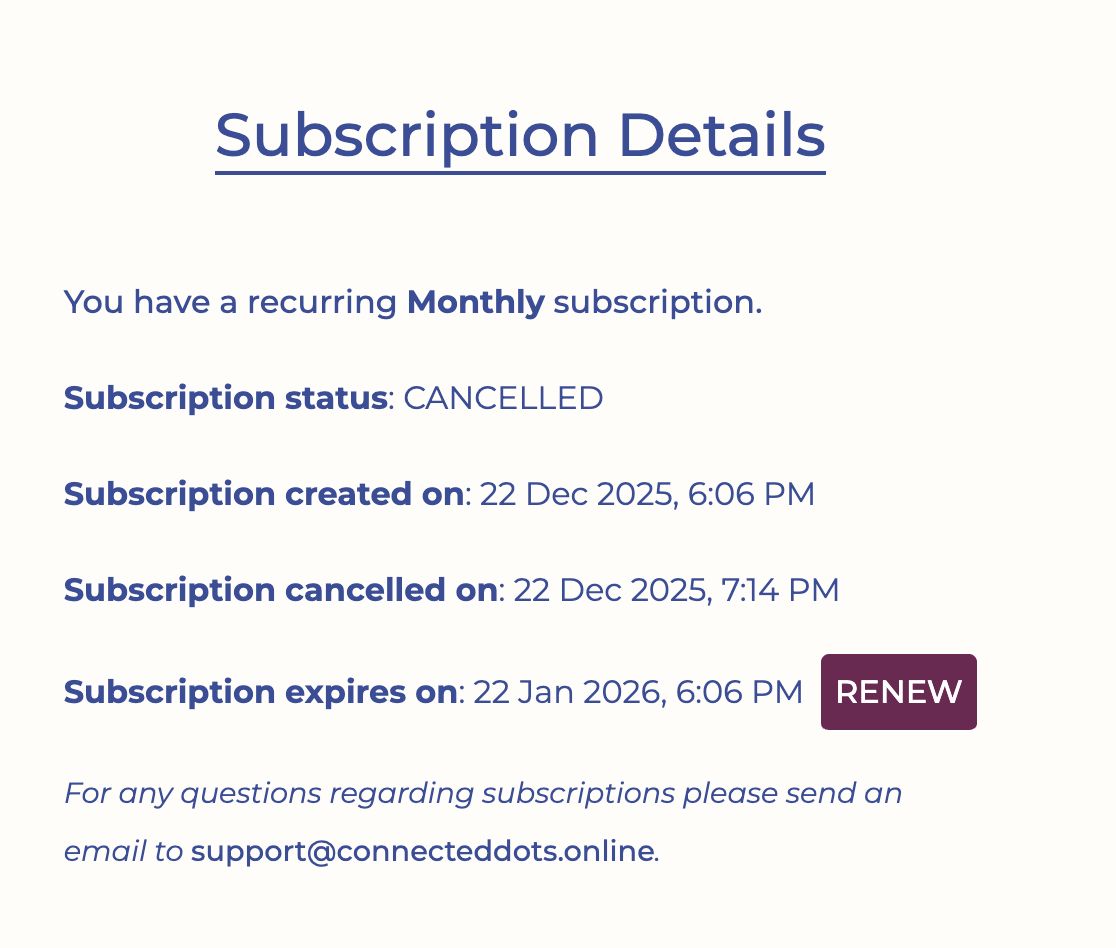
You can cancel your subscription at any time by navigating to the Subscription details page (as described above). Click on the Cancel button beside the Next Billing Date information. After confirming the cancellation, the page will be updated with your subscription expiry date (the next billing date). You will continue to maintain full access to all content until this date.
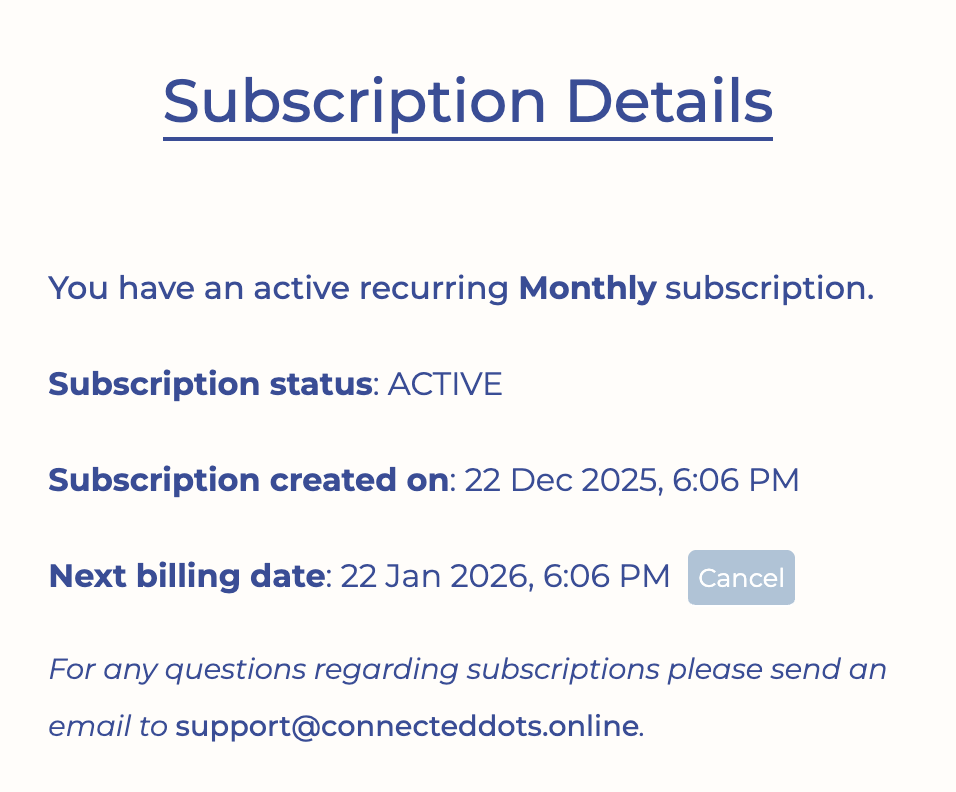
Before your subscription expiry date, you can renew a cancelled subscription by navigating to the Subscription details page (as described above) and clicking on the RENEW button next to the Subscription Expiry date.
 If you would like to renew your subscription after it has expired, you can simply purchase a new subscription from this page.
Changing your subscription type is a two-step process: